From a drawer of receipts to a vessel dossier
This is Barka from the first screen to the last, on a test boat named Levant: a 9-metre motorboat with two outboards, four years of receipts and a spreadsheet the previous owner kept.
The boat, the vendors and the receipts are made up; the app is real. Every screenshot was taken with what Barka itself read out of those documents.
Your boat
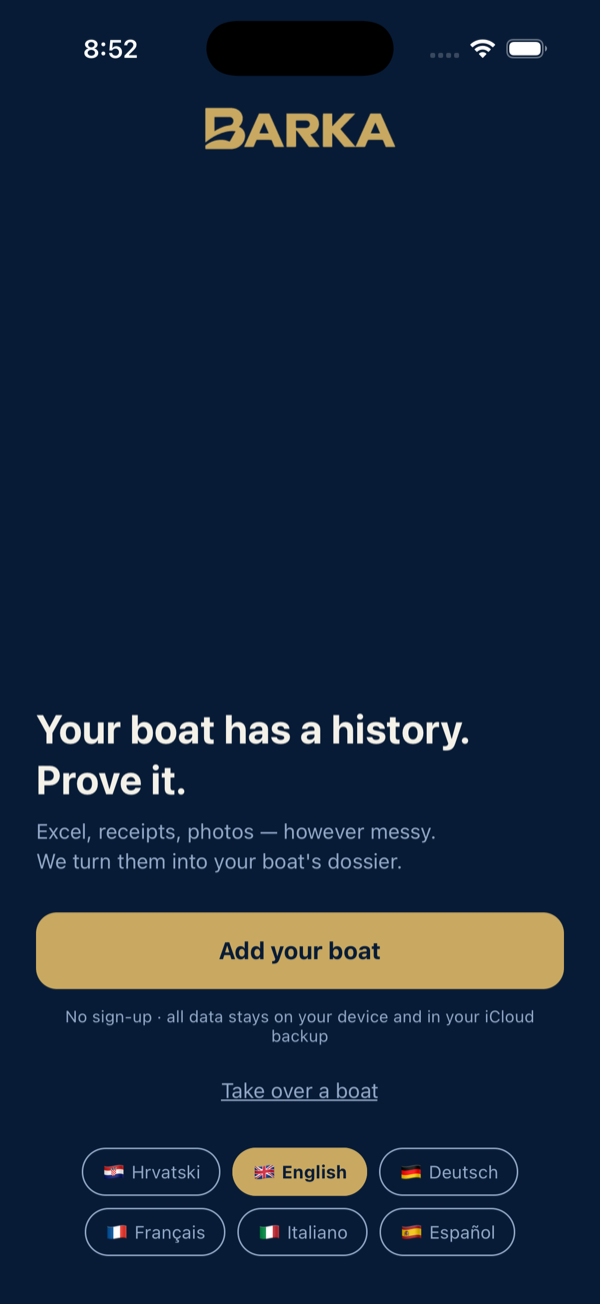
Open Barka, pick a language and tap Add your boat. Give the boat its name and tap Start. One boat is one dossier; you can keep several and switch between them from the boat list.
- The app speaks Croatian, English, German, French, Italian and Spanish; the phone's language is the default.
- Bought a boat whose owner used Barka? Take over a boat opens the file they sent you. Step 14 has the details.
Identity and engines
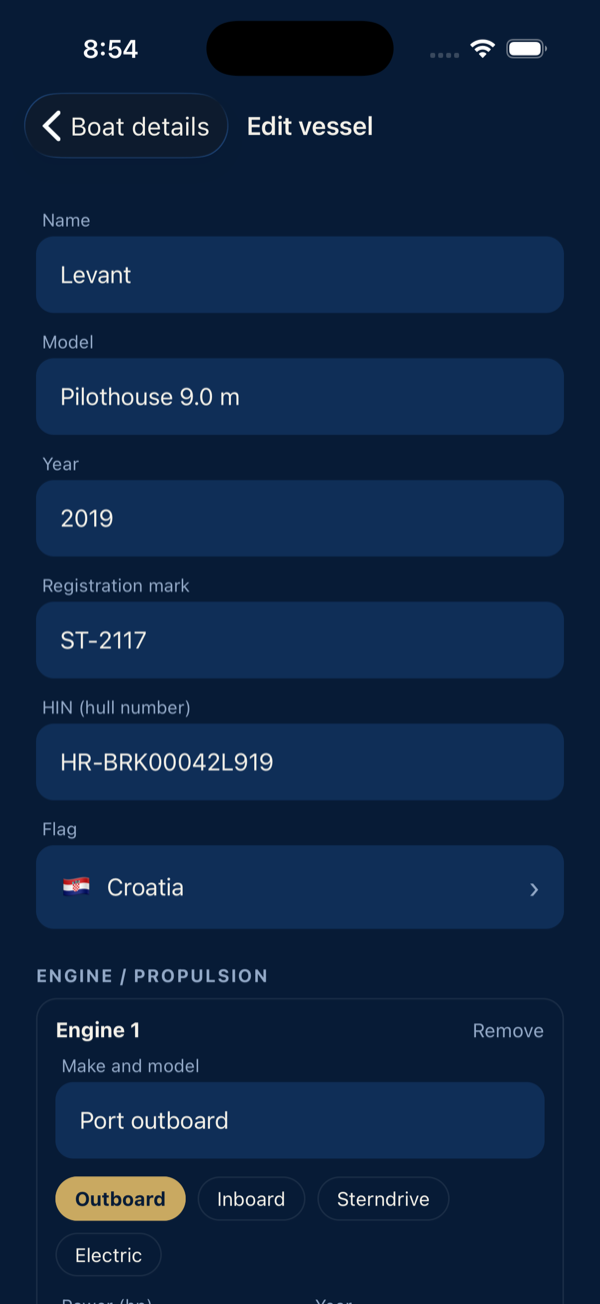
Boat details holds everything a buyer asks first: model, year, flag, the registration mark, the HIN and the propulsion. The HIN is the hull identification number, the boat's equivalent of a car's VIN. You find it on the hull plate and in the papers. The propulsion has one card per engine, with the serial number that later appears in the dossier's Propulsion block.
- The HIN is the permanent identifier; the mark changes with owner and flag.
- A dossier cannot be generated without at least one of the two, because a document about “a boat named Levant” could belong to any boat of that model.
- Barka never pulls engine data or engine hours out of your documents. You enter them yourself, because those are the numbers the owner answers for.
The Boat tab
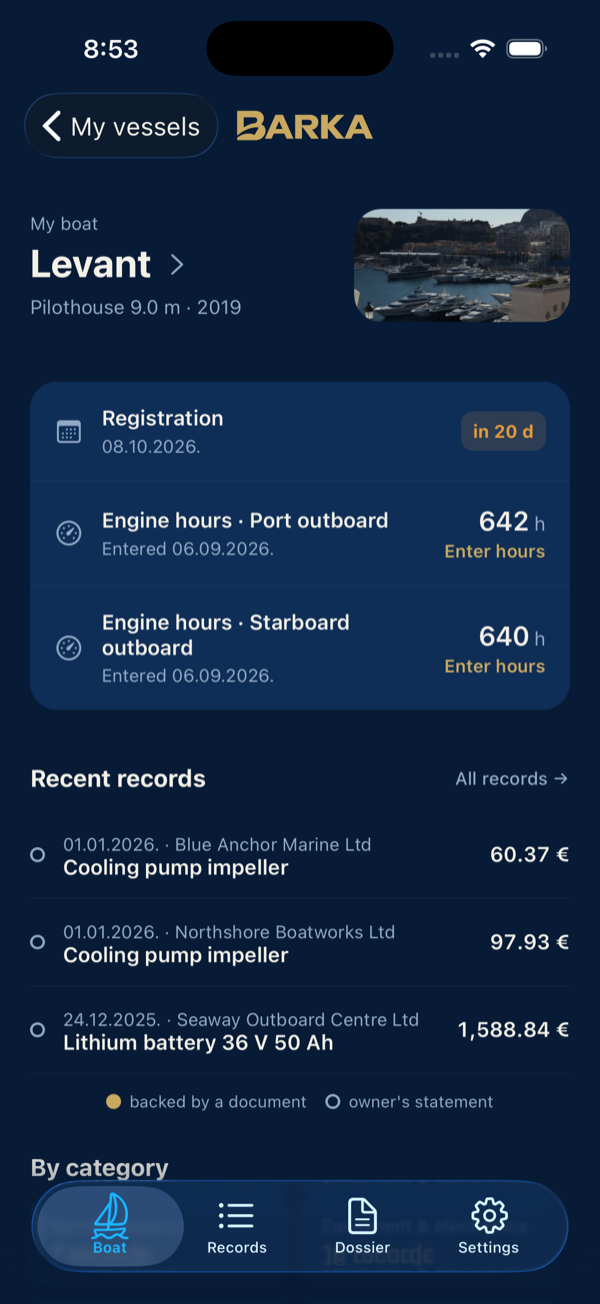
The Boat tab is the whole boat in one place: photo, the basic data, and the cards.
- Engine hours and Deadlines: the last reading per engine and the deadline that expires first.
- By category: the records sorted by kind, such as engine, hull, electrics, equipment and service, with a count on each.
- Timeline: all records by year.
- Dossier: how many records go into the dossier and how many of them have a document attached.
The most recent records sit below the cards. Tapping one opens it with its receipt in view.
Bring the history in
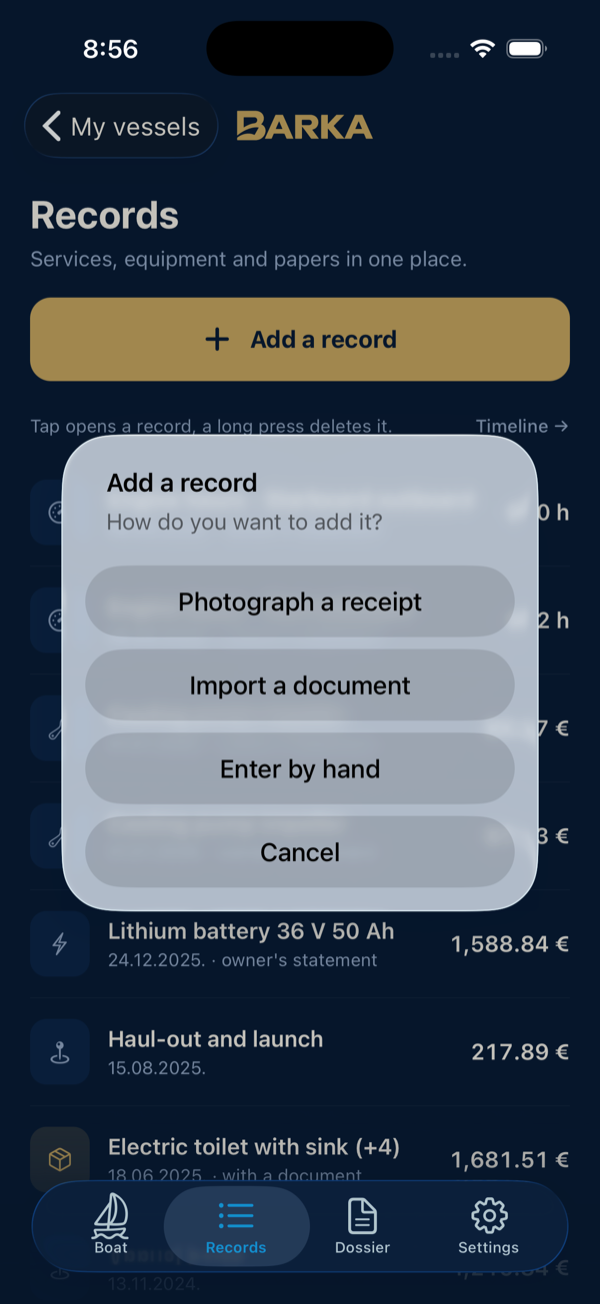
The Records tab lists every record of the boat, newest first. You add one with Add a record, which asks how:
- Photograph a receipt for the receipt in your hand;
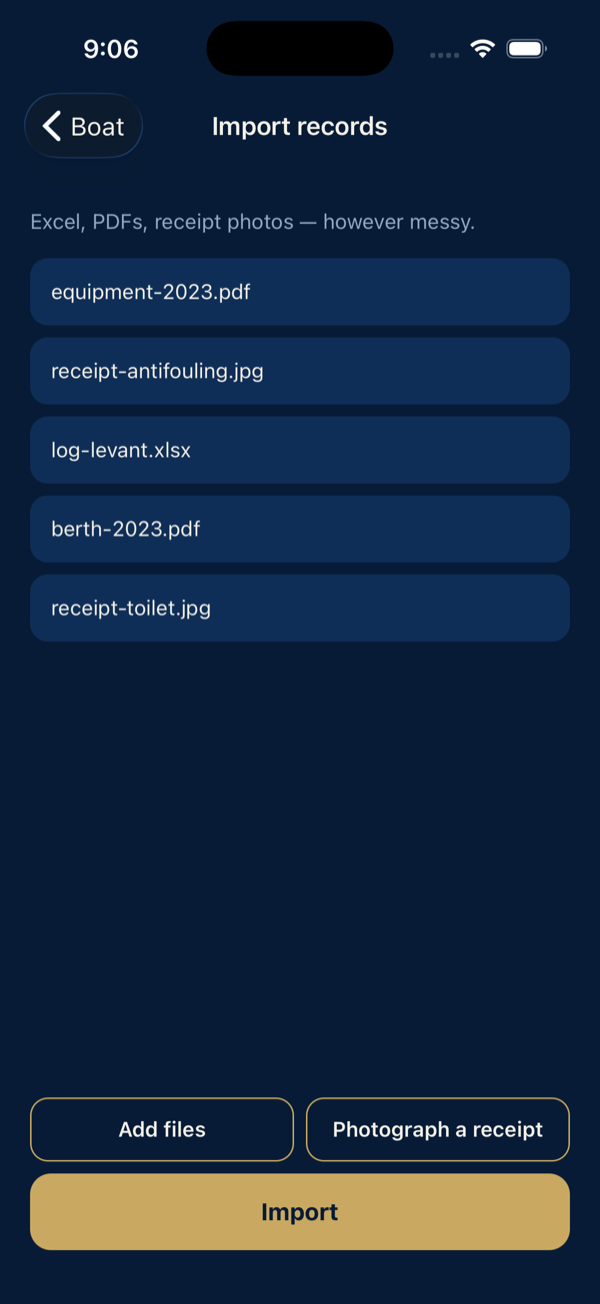
- Import a document for files you already have: spreadsheets, PDFs and photos of receipts, however messy;
- Enter by hand for a record without a document or with a receipt you attach on the spot.
A gold category icon marks the records that have a document behind them. Press and hold a record to delete it.
Import
Pick any number of files from Files, iCloud Drive or a folder shared with you. Barka tells you what it understood from each one: Spreadsheet, PDF document or Receipt photo.
- Text is read on the phone. Photos are read by ML Kit, Google's text recognition built into the app. Scanned PDFs are read by Apple's recognition, and other PDFs by the text written into them. What ML Kit sends to Google is in the privacy statement.
- A spreadsheet becomes one record per row, in whatever column layout it has. Rows without a title and a date are skipped, and you are told which.
- The same receipt imported twice is recognised and not duplicated, even when the second copy is another photo of it.
Then open the draft.
The dossier draft
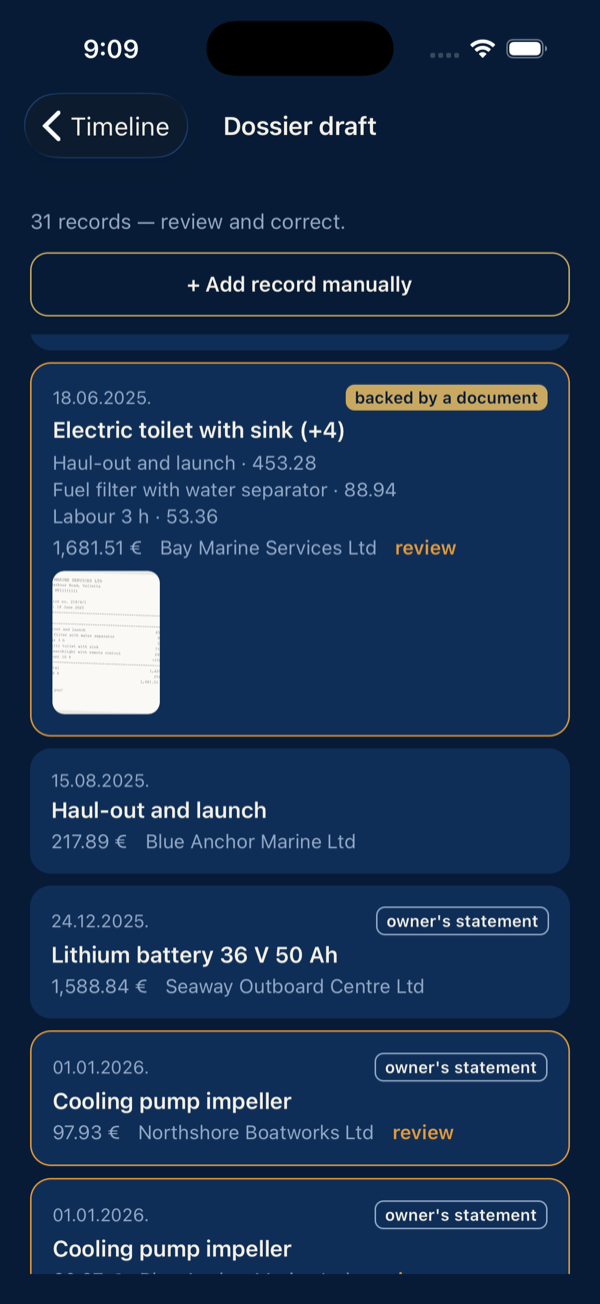
Every record carries one of two marks:
- backed by a document: a receipt or PDF is attached, and its thumbnail sits on the card;
- owner's statement: a row from a spreadsheet or a record typed in by hand, your word without a document.
A receipt is named after the priciest item on it, for example “Electric trolling motor 36 V (+8)”, and lists its items underneath. Records the app is not sure about are marked review. Barka doesn't guess: anything it could not read is left empty with enter manually. An amount the receipt states as a refund or as zero is not turned into a cost.
Mooring and fuel records stay in the app for your own bookkeeping but never enter the dossier: no receipt is expected for a fuel fill, and Levant's annual berth invoice is bookkeeping, not boat history.
Review and correct
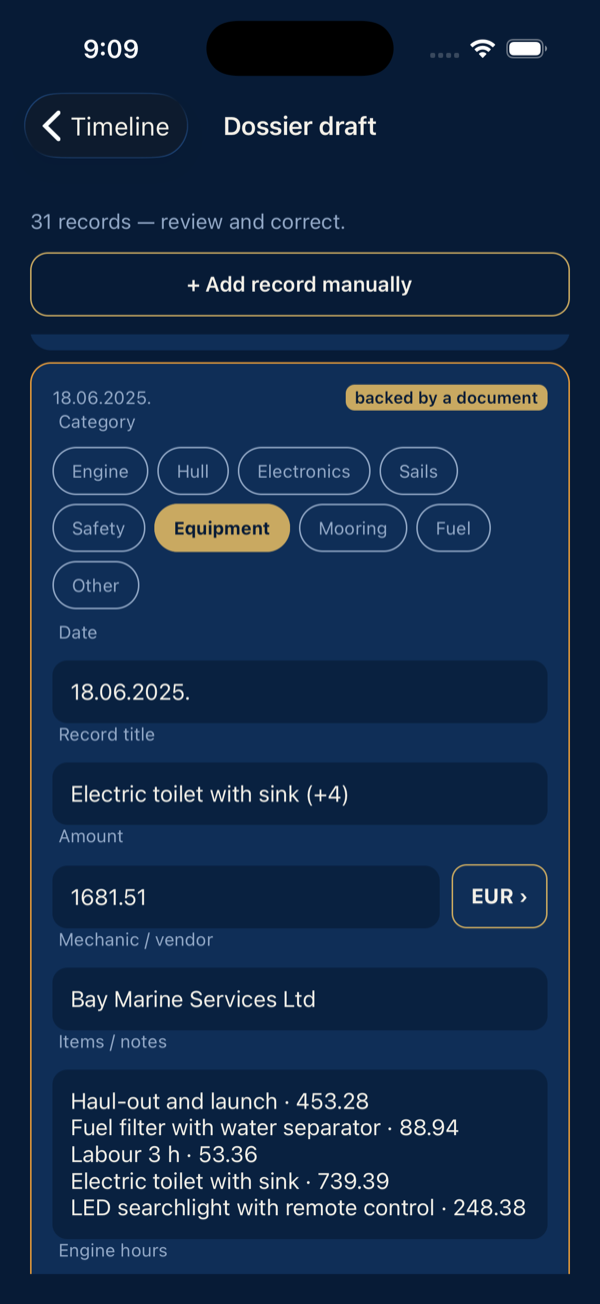
Tap a record and the form opens: category on top, then date, title, amount and currency, vendor, items and engine hours. Fix what needs fixing and save; the record is no longer marked for review.
What you correct stays corrected: an amount or a vendor you cleared on purpose is not filled back in by a later import of the same receipt.
Tap a receipt thumbnail to open it full-screen with pinch zoom. Long-press it to copy the text Barka read from the receipt.
Engine hours
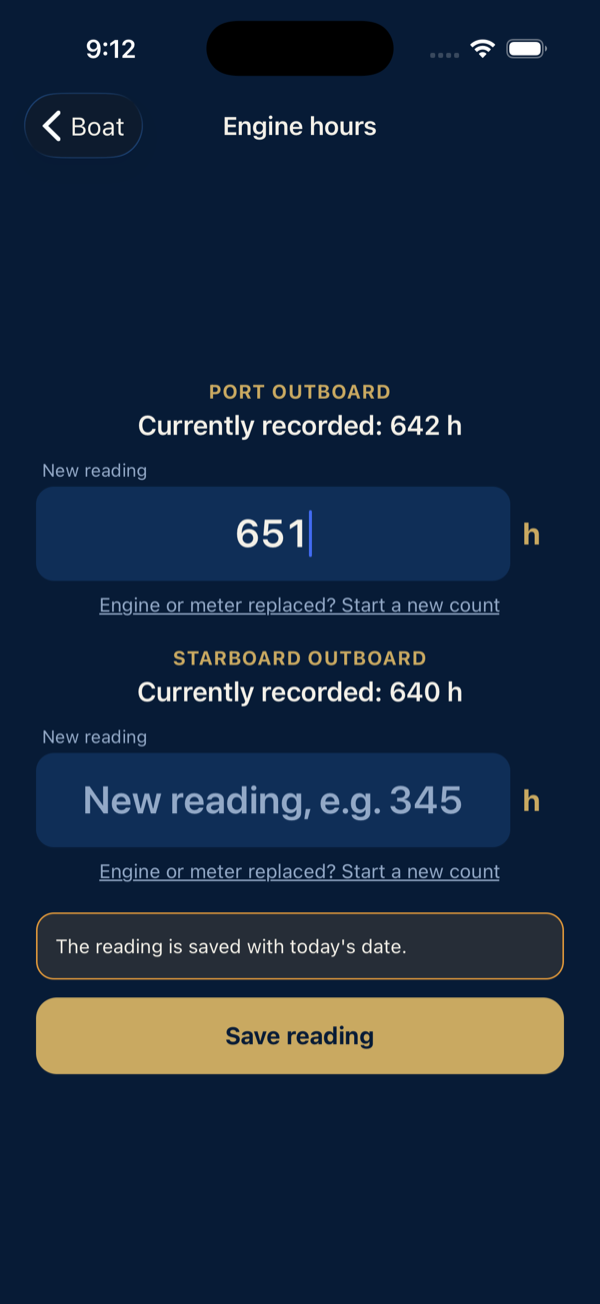
The most frequent entry gets its own screen, opened from the Engine hours card. Each engine has one field with its last reading above it, so Levant has two. Type what the meter says. The reading is saved with today's date as an owner's statement and shows in the dossier's hours column and next to the engine in the Propulsion block.
- Hours only go up. A lower reading is refused.
- Replaced an engine or its meter? The link under the field starts a new count from any value: 0 for a new engine, the meter's reading for a used one. The reading is marked for review, a replacement record explains the drop, and Barka suggests updating the engine's serial number.
Deadlines
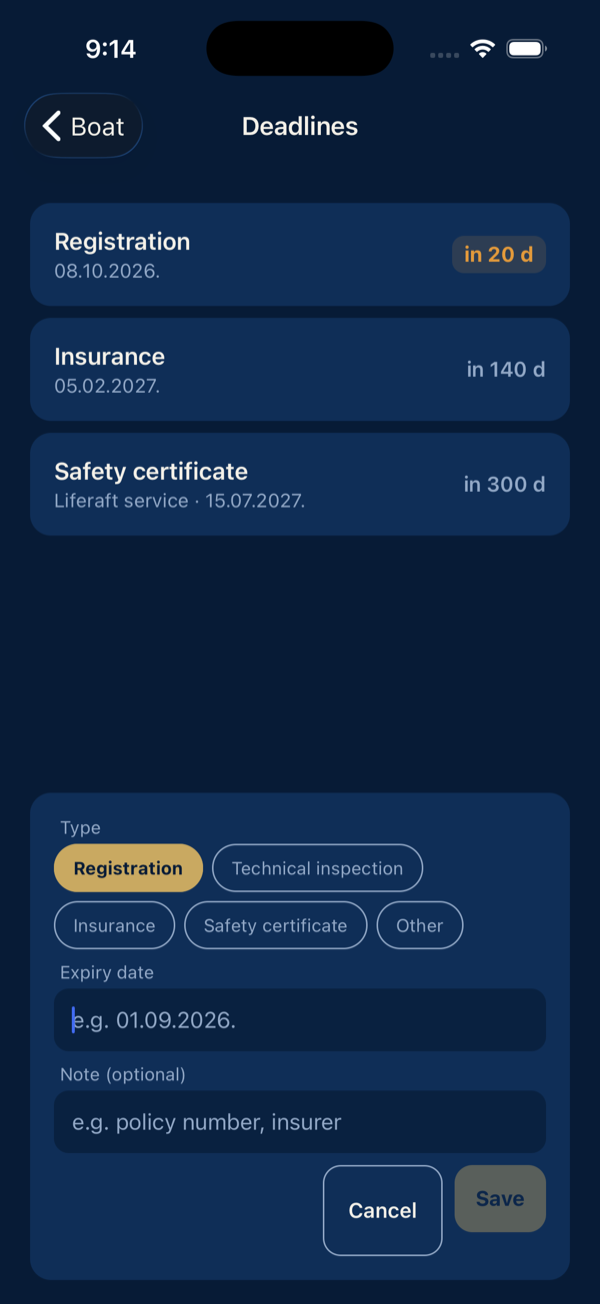
Registration, insurance, inspections, the liferaft service: add each with its expiry date. Anything due within 30 days turns amber, an expired one turns red, and the nearest one is always on the Boat tab. Long-press deletes a deadline.
Timeline
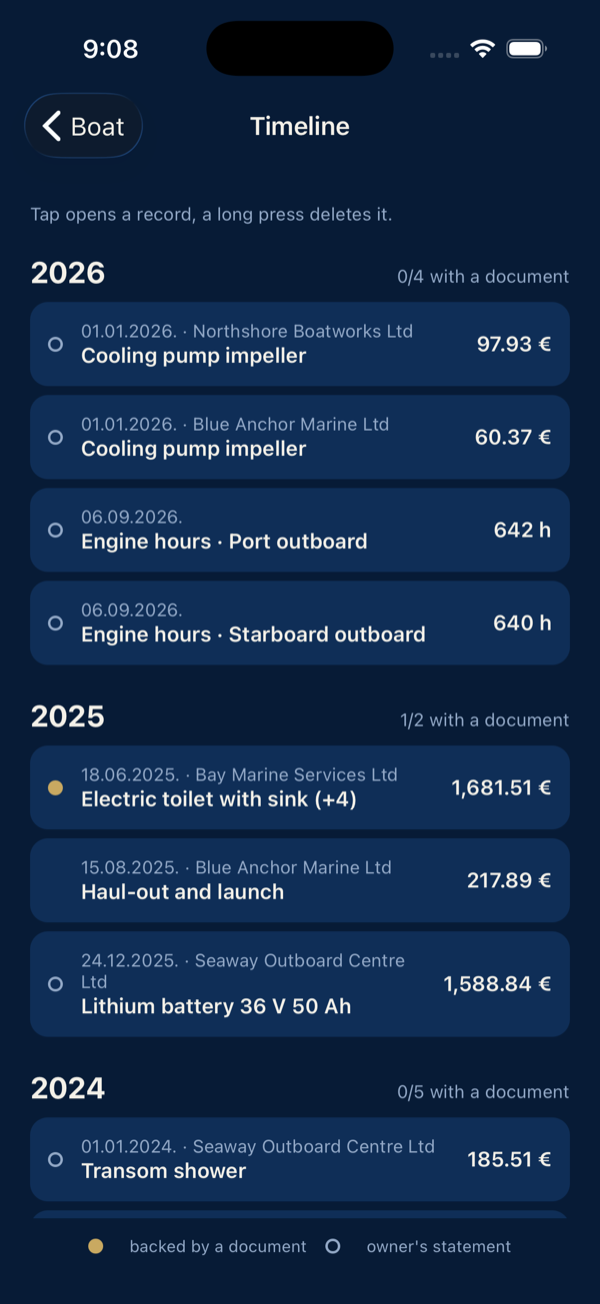
The Timeline card shows every record by year, each year with its ratio of records backed by a document. Gold dot: document attached. Hollow dot: owner's statement. A tap opens the record, a long press deletes it.
Generate the dossier
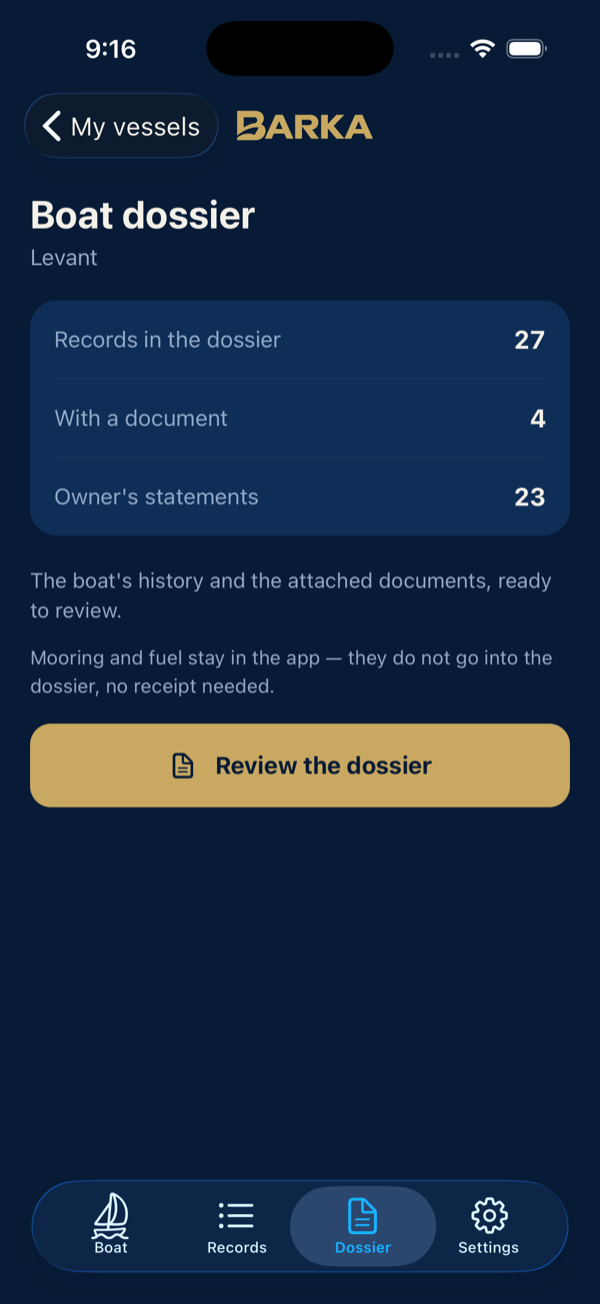
The Dossier tab counts what goes in: records, those with a document and owner's statements. It also lets you review the dossier before you send it. Generate dossier (PDF) builds the document on the phone and opens the share sheet: send it by message or mail, or save it to Files.
The button appears only when the boat has a registration mark or a HIN.
The dossier
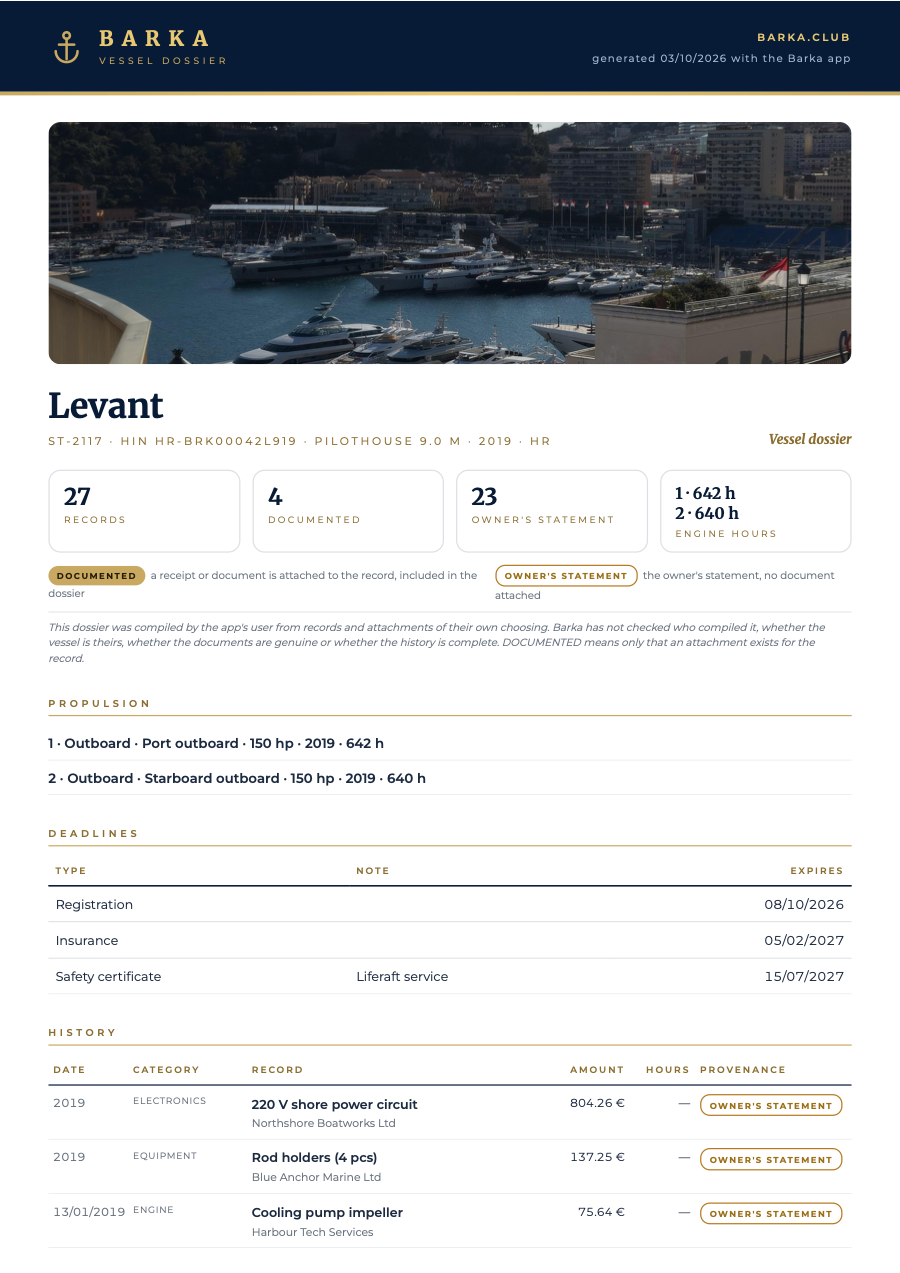
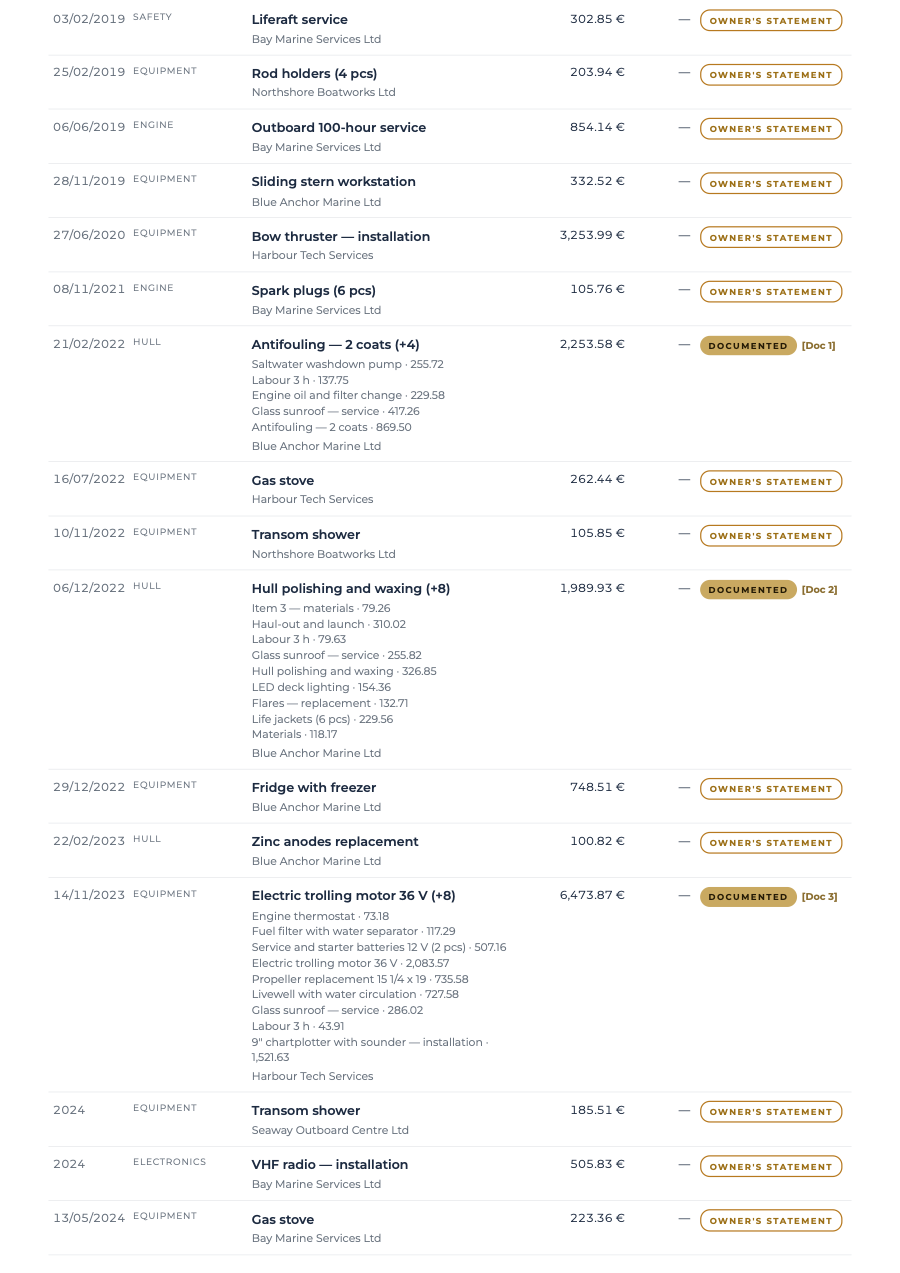
The dossier is A4. It opens with the letterhead, the boat's photo and an identity line with the mark, HIN, model, year and flag. Then come four tiles for records, documented records, owner's statements and engine hours, followed by the propulsion block, the deadlines and the history table with a provenance mark on every row.
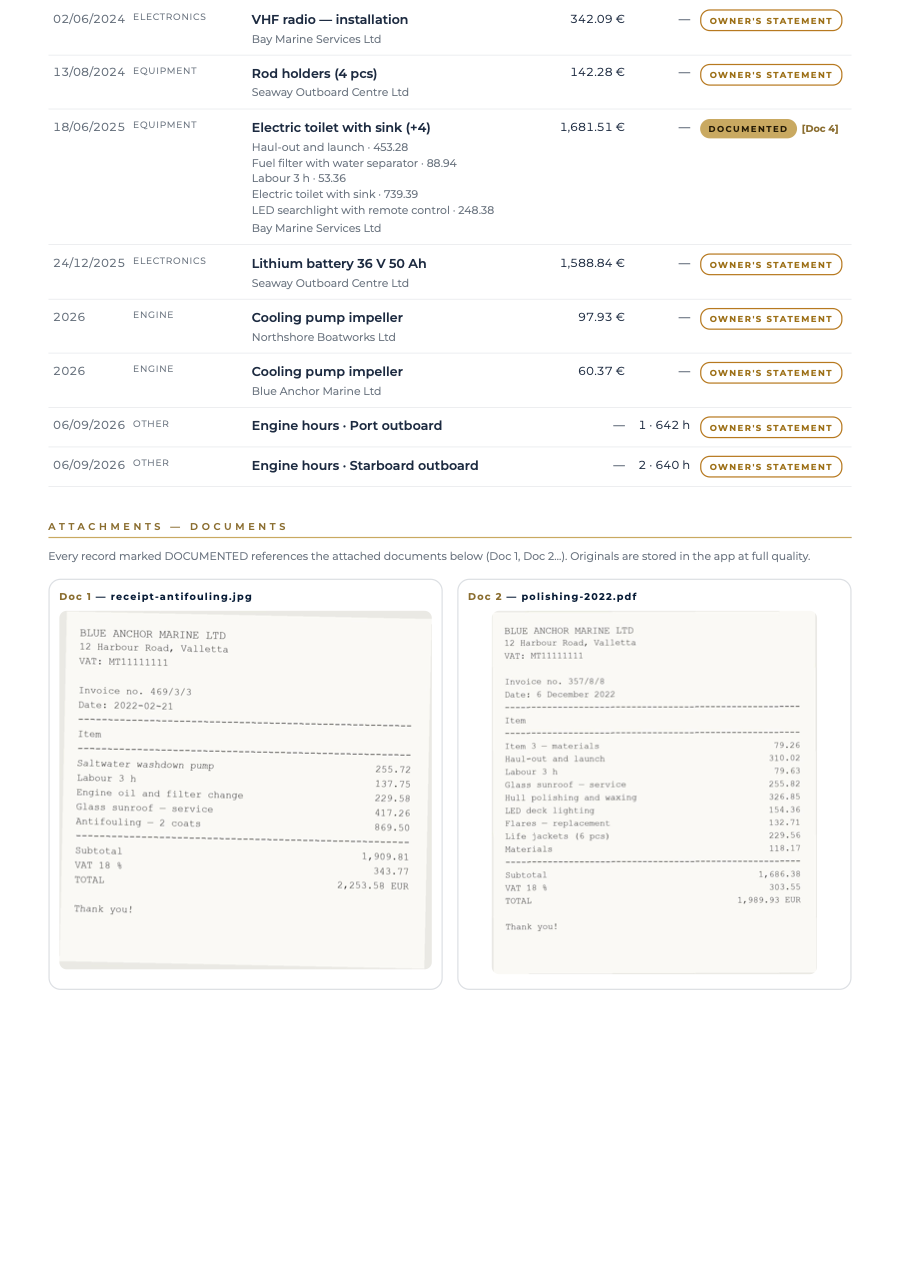
Records marked DOCUMENTED reference the attached documents as Doc 1, Doc 2 and so on. Those are printed in full at the end of the dossier, page by page, so the buyer reads the actual receipts. Amounts in another currency are printed as the receipt states them.
The QR code
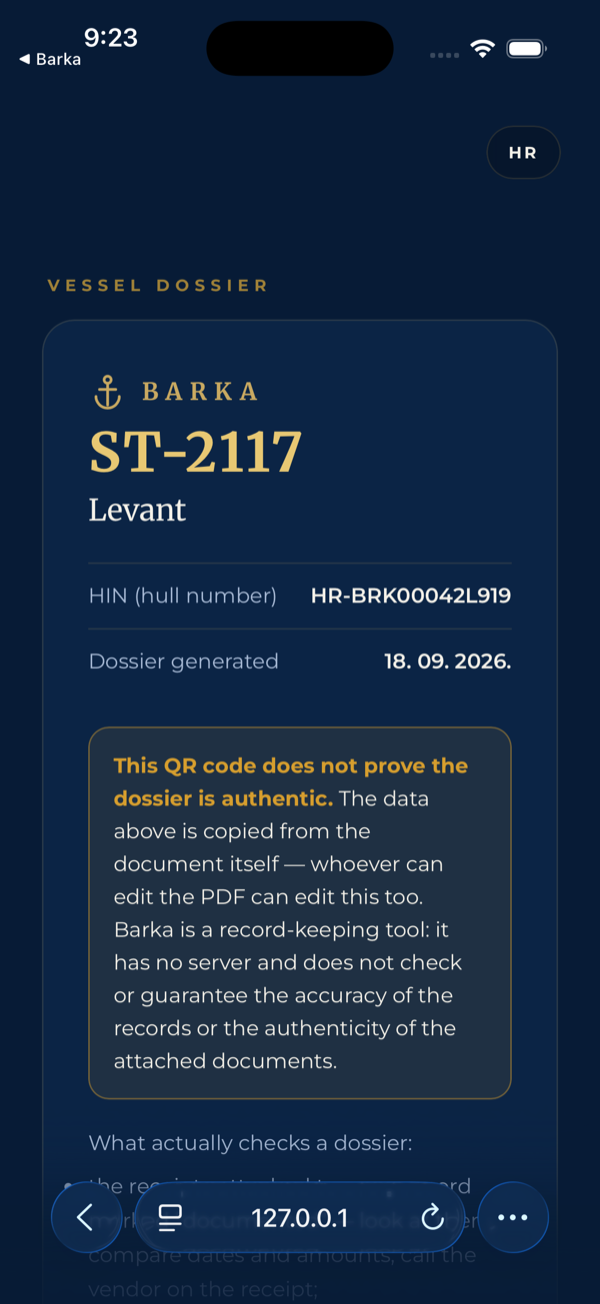
The last page ends with a QR code. Scanning it opens a page with the boat's mark, name and HIN as printed in the document. The page also warns plainly that the code proves nothing, because whoever can edit a PDF can edit the code. A dossier is checked against the attached receipts and the mark and HIN on the hull.
Hand the boat over
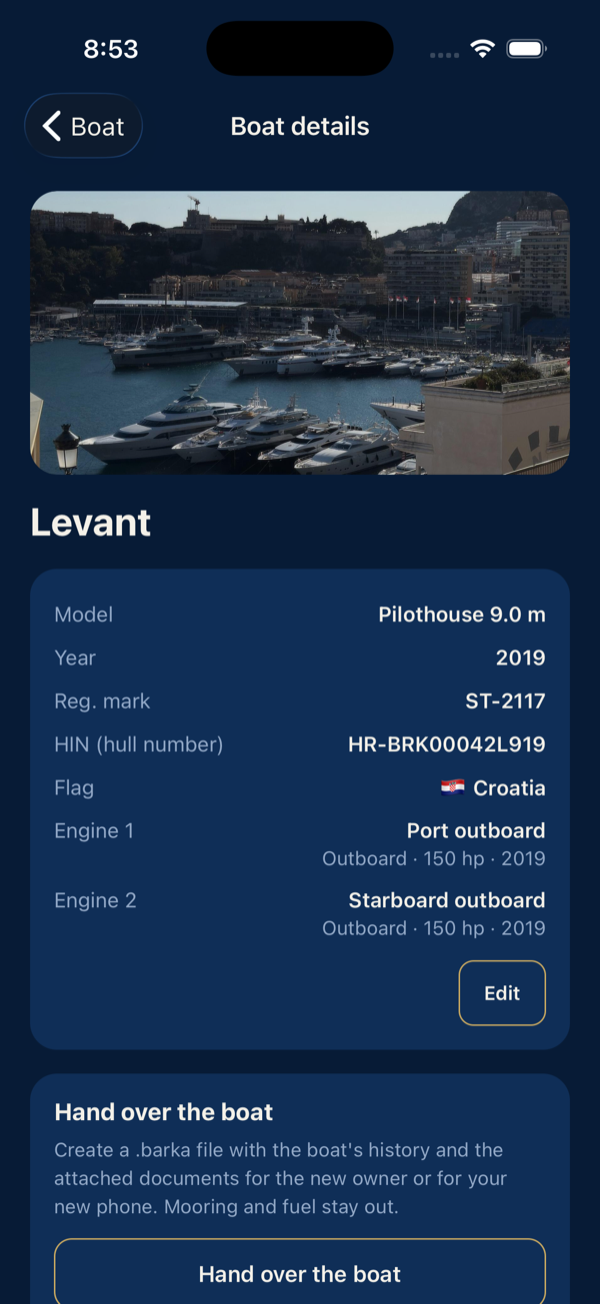
Selling the boat? Hand over the boat on the boat details builds one .barka file and opens the share sheet: AirDrop, Files, mail. The file holds the records that go into the dossier, their documents, the engine hours, the deadlines and the dossier PDF.
The file is for the new owner. You don't need it for a new phone of your own: the phone's backup brings Barka over with everything in it.
- The new owner taps Take over a boat on their boat list, picks the file, and the boat appears with its whole history; every documented record opens its document, the hours continue per engine.
- Your statements arrive in their dossier marked as the previous owner's. Once the new owner edits one, it becomes their own.
- A file that was edited after it was written, or is missing a document, is refused by name. Nothing half-written is ever kept.
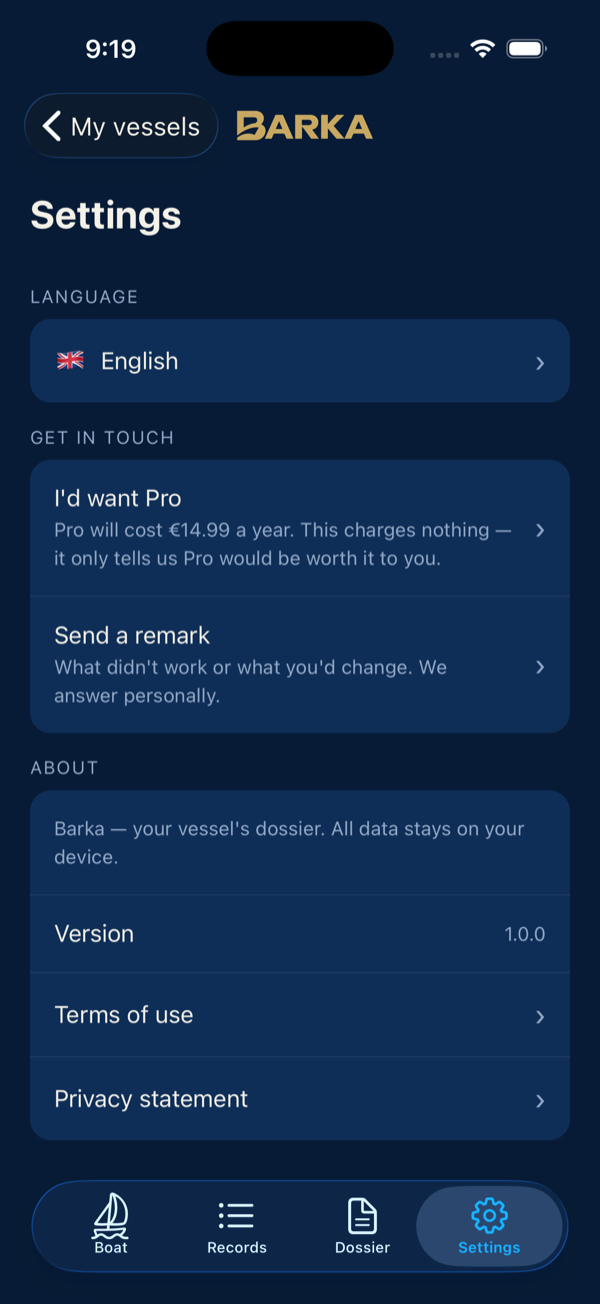
Settings
Here you pick one of six languages. The app and the dossier switch together. The terms of use and the privacy statement are one tap away.
Send a remark opens a prepared email to me. You can also send a wish from the Boat tab, through Tell me what's missing. Nothing goes out until you send the email.
That is the whole app
No account and no subscription. Your records and documents stay on your phone and in its backup. Install Barka, add your boat and import what you have. Whatever bothers you along the way, send it to [email protected]. I answer personally.
Barka is a record-keeping tool. The dossier is compiled by the vessel's owner from their own records; Barka does not check or guarantee the accuracy of the records or the authenticity of the attached documents. Marks in the dossier mean exactly what they say. DOCUMENTED means an attachment exists, and OWNER'S STATEMENT means the record rests on the owner's word. Terms of use · Privacy